It is nine in the evening on Saturday. The worship leader has just sent the song list, one of the titles is not in the library, and the sermon outline arrived as a photograph of a notebook page. Getting ready to prepare the Sunday service should not eat the whole evening. Here is a timed method that fits into half an hour.
Why does it take all evening to prepare the Sunday service?
Because the work gets done out of order, and then gets done twice.
The usual story: you open the software, start with the first song, notice a missing verse, go hunting for it, find a different wording of the lyrics, hesitate, message the worship leader who does not reply, move on to something else, forget to come back. Ninety minutes later the readings and the screen test are still waiting, and it is midnight.
The second trap is quieter: everything goes into the same bag. Songs, verses, announcements, the testimony video — one place, one gesture. On Sunday morning you spend thirty live seconds hunting for something you had actually prepared.
The method below fits into four blocks of time, in a specific order, and every block ends whether or not it is perfect. That is the point: a service that is ninety percent ready on Saturday beats a perfect one on Monday.
The four blocks, minute by minute
Block 1 — Songs (8 minutes)
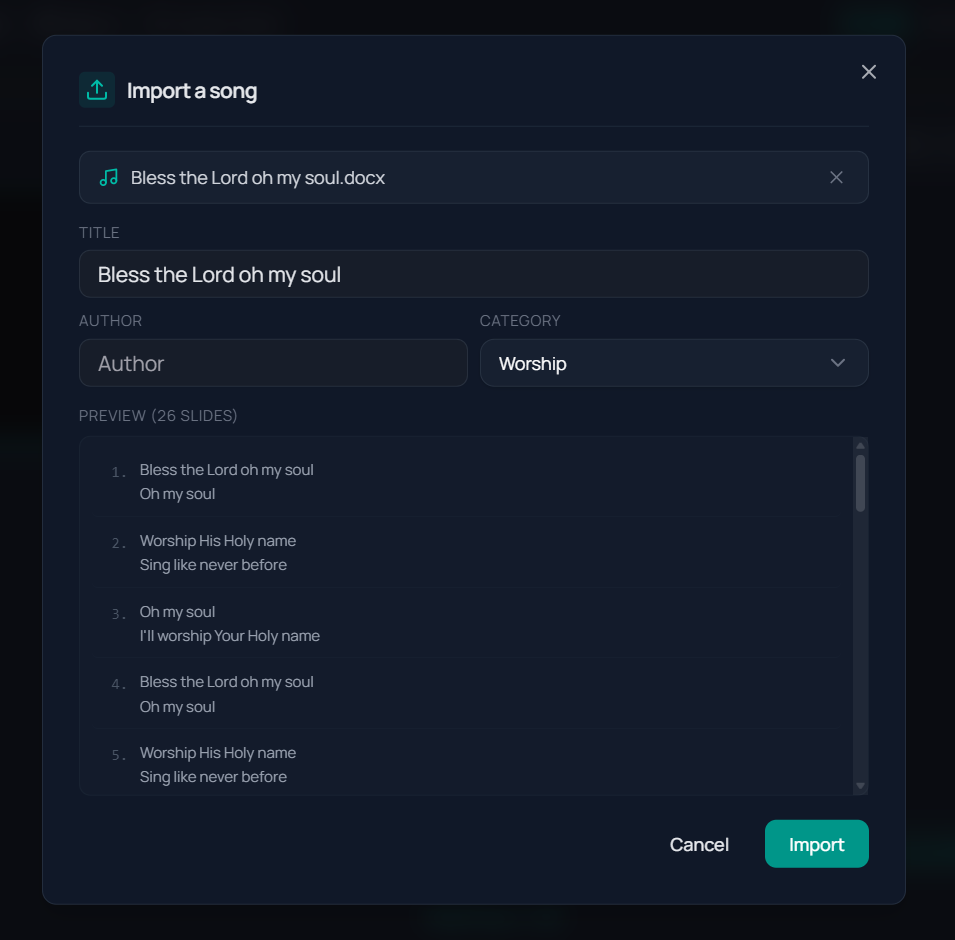
Songs live in their own library, with their own playlists. This block comes first because it is the only one that can hand you a nasty surprise: a missing song costs time, the other blocks do not.
Open the list the worship leader sent and check that every title exists. For the ones that do not, songs import from CCLI SongSelect or paste in as plain text, automatically split into sections. A text file, a copy-paste out of a document, a lyrics page: anything that is text comes in without retyping.
Then look at the preview of the generated slides. Automatic splitting rarely gets it wrong, but a song with an unusual bridge or a looping tag deserves a glance. Each song also keeps its own projection template, so if an old hymn should look different from a contemporary song, that is settled once rather than every week. The details are on the songs page.
Block 2 — The service playlist (10 minutes)
The playlist is the thread of the running order. It mixes verses, media and free slides in the order of the service: the welcome verse, the youth camp announcement, the testimony video, the offering slide, the closing verse.
One clarification that saves a lot of confusion: songs do not go into that playlist. They are two separate systems, deliberately so — a song serves many Sundays, a running order serves one. You prepare your song library on one side, your service playlist on the other, and switch between them during the live.
Two habits save most of the time here. First, build the playlist in the real order of the service rather than the order things reach your inbox, and you will not reorganise everything at the end. Second, when the announcements already exist as a PowerPoint deck, do not rebuild them. A PowerPoint presentation imports straight into the playlist. The steps are on the playlist page.
Block 3 — Sermon verses (7 minutes)
If the outline of the message has arrived, find the main passages and prepare them. If it has not, at least prepare the base text printed in the programme.
This is where the version question gets settled. The catalogue offers 93 downloadable Bible versions across 51 languages, 14 of them enabled by default, and several versions can be projected side by side on the same slide. A bilingual congregation sets that up once and never touches it again.
Do not try to anticipate everything. Full-text search runs locally and answers in under 10 milliseconds: an unprepared passage is found live faster than you would think, even from a half-remembered fragment of a sentence.
Block 4 — The screen test (5 minutes)
This is the block people skip, and the one that costs the most when it is missing.
Every connected screen can show different content, with its own template. Check that each output is sending what it should: the main hall, the lobby, the stage monitor. Good news for Sunday morning — configured outputs reopen automatically when the application starts.
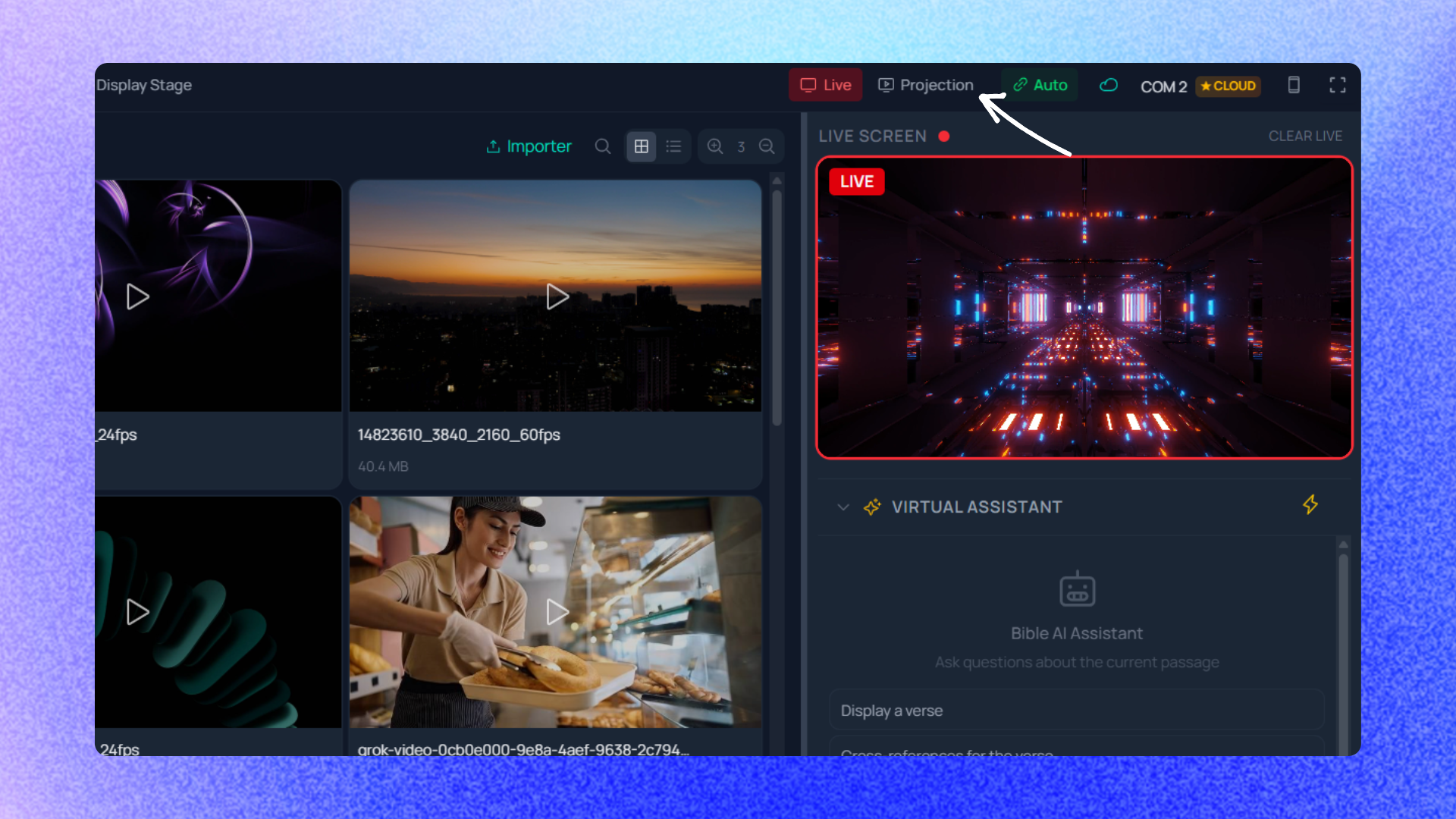
Finish by running the first three or four items of the running order as if the service had begun. Thirty seconds is enough to catch the blank slide, the song in the wrong order, or the video with no sound.
What does not fit into the 30 minutes
A song that has to be written from scratch. If the lyrics exist nowhere as text, somebody has to type them, and no method shortens that. Ask the worship leader for them during the week, not on Saturday evening. Building your visual design. Creating a template, choosing a background, setting typography: that work is real, but it happens once, calmly, not inside Saturday's half hour. A sermon outline that never arrives. No software compensates for a speaker who improvises. The fix is human: agree that references get sent on Friday. A venue you have never seen. A room discovered on Sunday morning needs its own setup time. The Saturday half hour assumes a familiar room and familiar hardware.One last piece of advice, and it is the hardest to follow: write the four blocks and their durations on a sticky note, and set a timer. Volunteers who keep to the clock finish; volunteers who chase perfection in block one are still in block one at eleven at night. The blocks are deliberately short because the remaining ten percent almost never gets noticed from the fifth row.
Everything else — the part that matters — genuinely fits into thirty minutes, as long as you run the blocks in order and forbid yourself from going back. That leaves the budget question, and it is settled on the pricing page.