The singer turns around to read the next line off the main screen, and the congregation gets a view of the back of their head. The speaker, meanwhile, has no idea how much time is left, and nobody dares signal them. A stage display solves both problems with one cable and an old monitor.
What does a stage display change for the people on the platform?
It removes two kinds of discomfort everyone has quietly accepted as unavoidable.
The first is the turn. A singer who does not yet know the lyrics by heart looks at the congregation screen — so they sing at an angle, lose eye contact with the room, and pull the microphone away from their mouth at the exact moment the melody climbs. That is not an attitude problem, it is a geometry problem: the information is behind them.
The second is time. A speaker absorbed in the message has no reference point. The booth knows the service is running long, but every option available is a bad one: waving an arm in the aisle, passing a note down the row, or saying nothing and letting the morning stretch by twenty minutes. In a church running two services back to back, those twenty minutes get paid for in the car park.
A stage display fixes both by simply turning the information around to face the people who need it. It shows musicians and speakers the lyrics, the current verse and a message from the control room.
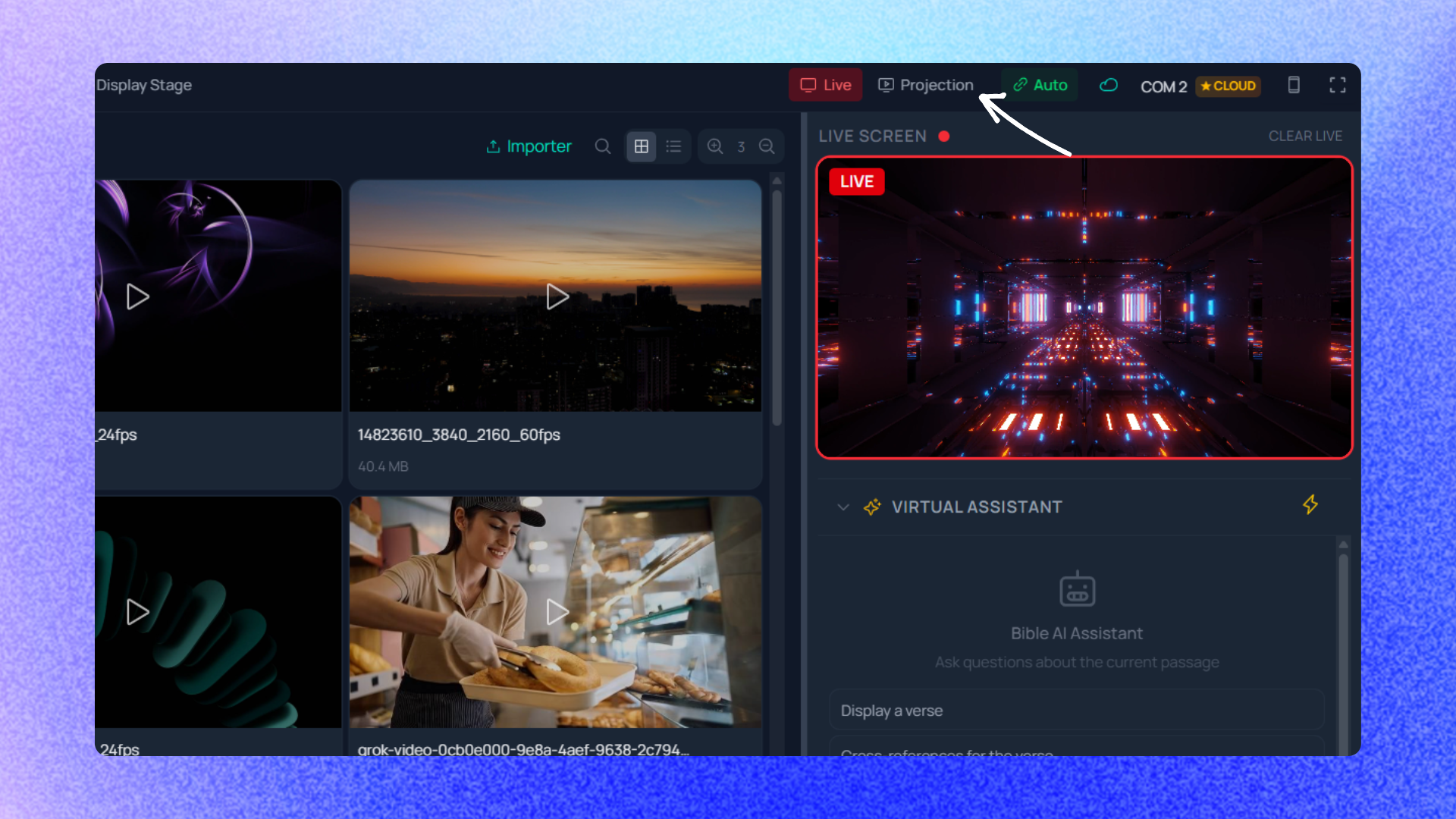
How it goes together in practice
There is no second computer, no extra program, no hardware box. The stage display is one more screen output, configured like any other.
- Plug in a screen the platform can see. A television at the foot of the stage, a monitor clamped to a mic stand, a projector at the back of the room: anything readable from a distance will do.
- Declare that output. Every connected screen can show different content, with its own template. An output can show global content, the Bible, songs, the playlist, lower thirds, a preview or the stage display — here you pick the stage display. The procedure lives on the projection outputs page.
- Compose what the platform sees. The lyrics and the current verse, yes, but also everything that has no business on the congregation screen: the clock, the countdown, the next section of the song — the verse or chorus coming up. The available elements are described on the stage display page.
- Let it reopen on its own. Configured outputs reopen automatically when the application starts. On Sunday morning you switch the computer on and the stage screen is already there.
And crucially: a countdown can be extended live without restarting, and the cumulative drift stays visible. That sounds like a technical footnote and it changes everything in real life. When the booth grants the speaker five more minutes, it does not reset the clock to zero: it moves the finish line. The speaker sees time remaining, the booth sees how far the whole service has slipped. Nobody is lying to anybody.
A phone also works as a remote for those timers, so a leader sitting in the congregation can extend a countdown without walking back to the booth. That detail is often what makes the tool stick: the person who owns the running order is almost never the person staffing the booth, and asking them to cross the room to press a button means the feature will simply go unused.
The limits, honestly
You need a cable, and the cable is the real subject. Technically it is one more screen output. Physically, you have to run a cable to the platform and leave it there without anyone tripping over it. In a rented hall set up and torn down every week, that is five extra minutes at load-in. Plan for them rather than discovering them on Sunday. A badly placed monitor is worse than none. If it dazzles the front row, reflects in the speaker's glasses, or makes the singer drop their chin, you have moved the problem instead of solving it. Run the test standing where that person stands, with the house lights on. Control-room messages demand discipline. A screen permanently showing three lines of instructions becomes background noise nobody reads. Churches that use it well send few messages, keep them short, and clear them immediately. A timer has never shortened a sermon. It informs, it does not constrain. If the leader and the speaker have not agreed on a length beforehand, no countdown will create that agreement. The tool makes a decision visible; it does not make the decision. It is not a monitor mix. A stage screen replaces neither wedges nor in-ear monitors. It solves the visual half and nothing else.Where to start
Start small: one screen, the lyrics, one countdown. Run that for three or four Sundays before adding anything. The temptation is always to build a full cockpit in week one; the teams who give in almost all end up stripping it back.
Then ask the platform what is missing, rather than guessing from the booth. The answers are usually unglamorous and immediately useful — a bigger font, the title of the song currently on screen, the verse reference spelled out so the speaker can read it aloud without squinting at a tablet.
The available plans are compared on the pricing page.
Frequently asked questions
Do I need a second computer for the stage display?
No. The stage display is one more screen output from the same computer. It shares the same session, the same songs and the same current verse as the congregation screen, which is exactly what removes the risk of two machines drifting out of sync in the middle of a song.